It’s 5:03 PM on a Tuesday, and the familiar wave of dread washes over you. “What’s for dinner?” The question echoes in the silence, followed by a frantic mental scan of the fridge—a lone onion, some questionable yogurt, and leftover takeout. This daily scramble is precisely why a well-designed meal prep spreadsheet isn’t just an organizational tool; it’s a lifeline for your budget, your health, and your sanity.
Forget clunky apps with hidden fees or notebooks you can never find. A simple spreadsheet puts you in complete control, transforming mealtime chaos into a calm, streamlined process. It’s your personal command center for everything from weekly planning and grocery shopping to tracking your health goals.
At a Glance: Your Takeaways
Before we dive in, here’s a quick look at what a great meal prep spreadsheet can do for you and what you’ll learn here:
- Bring Order to Your Kitchen: Systematically plan breakfasts, lunches, dinners, and snacks for the week or month ahead.
- Slash Your Grocery Bill: Generate an automated shopping list to eliminate impulse buys and use what you already have.
- Boost Your Health: Gain full control over your ingredients, making it easier to track calories, macros, or stick to a specific diet.
- Save Precious Time: Drastically cut down on daily decision-making, last-minute store runs, and inefficient cooking.
- Reduce Food Waste: Plan meals around ingredients you need to use up, saving money and the environment.
Beyond the Sunday Scramble: What a Meal Prep Spreadsheet Really Does
At its core, meal planning is about making decisions ahead of time to free up your future self. A spreadsheet is the perfect canvas for this because it’s flexible, free, and infinitely customizable. Unlike a rigid app, it adapts to your life, not the other way around.
Think of it as the ultimate “if-then” system for your kitchen. If it’s Wednesday, then we’re having chicken stir-fry. If we’re having stir-fry, then I need to buy bell peppers, soy sauce, and chicken breast.
This simple act of planning has a powerful ripple effect:
- Financial Savings: When you have a plan, you shop with a purpose. A 2021 study highlighted that planned purchases are key to managing household budgets. You’ll buy only what you need, lean on pantry staples, and be far less tempted by expensive takeout or delivery after a long day.
- Time Savings: The average American spends over 37 minutes a day just on food preparation and cleanup, according to the USDA. A solid meal plan cuts this down by consolidating your cooking into dedicated “prep” sessions and eliminating the nightly “what do I make?” deliberation.
- Healthier Eating: When you’re not making last-minute, hunger-driven decisions, you naturally choose better options. A spreadsheet allows you to visualize your week’s nutrition, ensuring you’re hitting your goals, whether that’s more vegetables, less sugar, or a specific calorie target.
- Stress Reduction: Decision fatigue is real. Offloading all your food choices to a single planning session a week frees up tremendous mental energy. No more frantic grocery runs, no more staring into a full fridge and feeling like there’s “nothing to eat.”
A good plan is the foundation, and having the right tools to build it is essential. You can start immediately when you Download your meal planning template and customize it to fit your needs.
The Anatomy of a Killer Meal Prep Spreadsheet
Not all spreadsheets are created equal. A truly effective one is more than just a grid of days and meals. It’s an interconnected system that makes your life easier. Here are the essential components.
The Core Planner: Your Weekly Command Center
This is the heart of your spreadsheet, typically the first tab. It’s your at-a-glance view of the week ahead.
- Columns: Day (Monday-Sunday), Meal Type (Breakfast, Lunch, Dinner, Snacks).
- Rows: The names of the dishes you plan to eat.
- Pro Tip: Add a “Recipe Link” column. When you find a recipe you love online, hyperlink it directly in the cell. No more searching through bookmarks or pins when it’s time to cook.
The Automated Grocery List: The Real Game-Changer
This is where the magic happens. A second tab in your spreadsheet should be dedicated to your shopping list.
- Essential Columns: Ingredient, Quantity, Category (e.g., Produce, Dairy, Meat, Pantry), and a Checkbox.
- How it Works: As you fill out your weekly meal plan, you list the necessary ingredients here. Sorting by category makes your trip through the grocery store incredibly efficient—no more backtracking for that one thing you forgot in the produce aisle.
- Level Up: For the spreadsheet-savvy, you can use formulas (like
VLOOKUPor aQUERYfunction) to automatically pull ingredients from a master recipe list into your weekly shopping list. But even a manual list is a huge time-saver. Don’t forget to add a checkbox (Insert > Checkboxin Google Sheets) for that satisfying feeling of ticking items off your list.
The Recipe Bank: Your Personal Digital Cookbook
Your third tab should be a “Recipe Bank.” This is your ever-growing collection of tried-and-true meals your family actually likes.
- What to Include: Recipe Name, Main Protein, Prep Time, Cook Time, and a link to the full recipe.
- Why it’s Crucial: This tab solves the “I don’t know what to make” problem. When you’re feeling uninspired, you can simply scroll through your list of proven winners, copy one into your weekly plan, and know it will be a hit.
Google Sheets or Excel? Picking the Right Tool for the Job
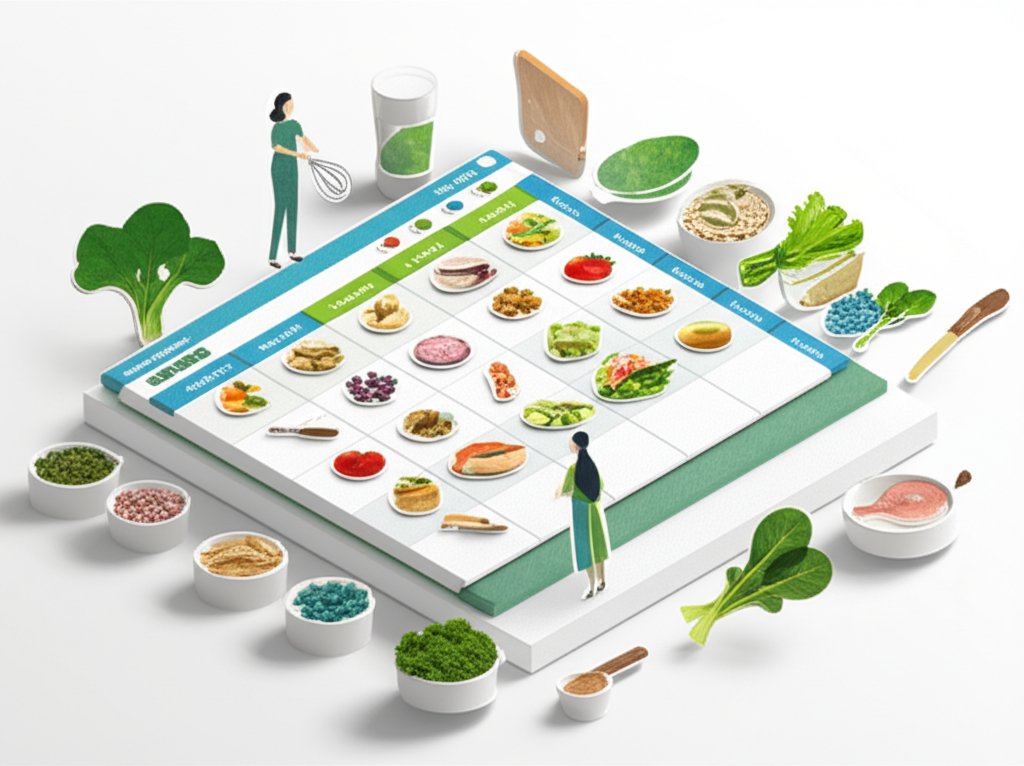
Both Google Sheets and Microsoft Excel are fantastic choices for creating a meal prep system. The “best” one depends entirely on your personal workflow.
Google Sheets: The Collaborative Cloud Champ
Google Sheets is often the top choice for meal planning, and for good reason.
- Cost: It’s completely free with a Google account.
- Accessibility: Access and edit your plan from any device—phone, tablet, or computer—as long as you have an internet connection. You can even enable offline access for times when you don’t.
- Sharing: This is its superpower. Easily share the spreadsheet with a partner or family member so they can add to the grocery list or see what’s for dinner.
Microsoft Excel: The Powerful Offline Workhorse
If you’re already an Excel power user or prefer to work offline, it’s an excellent option. - Familiarity: Many people grew up using Excel and are comfortable with its interface and powerful formulas.
- Offline Access: It’s natively an offline program, so you never have to worry about a spotty internet connection at the grocery store.
- Advanced Features: For those who want to build complex dashboards with advanced charting and data analysis, Excel has a slight edge in raw power.
Ultimately, the platform matters less than the system you build on it. You can find a great Meal planner Excel template to get started if you prefer a desktop-based solution.
Don’t Want a Template? Build Your Own in 4 Simple Steps
Starting with a pre-made template is the fastest way to get going. But if you’re a DIY-er, building your own basic planner is surprisingly easy and takes less than 15 minutes.
Here’s how to do it in Google Sheets:
- Step 1: Set Up Your Weekly Plan Sheet.
Open a new spreadsheet. Rename the first tab (Sheet1) at the bottom to “Weekly Plan.” In the first row, create your headers:Day,Breakfast,Lunch,Dinner, andSnacks. In theDaycolumn, list the days of the week from Monday to Sunday. - Step 2: Create Your Dynamic Grocery List Sheet.
Click the “+” icon at the bottom left to add a new sheet. Rename it “Grocery List.” Create headers in the first row:Item,Quantity,Category, andGot It?. - Step 3: Add Checkboxes for That Satisfying “Done.”
Go back to your “Grocery List” sheet. Click on the cell under the “Got It?” header (cell D2). Go to the menu and selectInsert>Checkbox. You’ll see a small box appear. Click the corner of that cell and drag it down to add checkboxes to the entire column. - Step 4: Fill It Out!
Start populating your “Weekly Plan” with meal ideas. As you add a meal, flip over to the “Grocery List” tab and add the ingredients you’ll need to buy. This manual process is a great way to start and understand the fundamentals.
This simple structure is the foundation of a system that can save you hundreds of dollars and dozens of hours each year.
One Size Doesn’t Fit All: Finding the Right Planner for You
Your life isn’t generic, so your meal planner shouldn’t be either. The beauty of a spreadsheet is that you can tailor it to your specific goals and lifestyle.
The Weekly Warrior (The Classic)
This is the most popular format. You plan one week at a time, typically on a Saturday or Sunday. It offers a great balance of structure and flexibility, allowing you to adapt to sales at the grocery store or a sudden craving.
The Monthly Marathoner (For Long-Range Planners)
Ideal for those with predictable schedules or who like to buy in bulk. A monthly plan involves creating a four-week rotation of meals. This reduces planning time even further—once you have a solid month planned, you can just repeat it. It’s a fantastic strategy for busy families and can be set up easily with a Monthly Meal Planner Excel Template.
The Diet & Fitness Tracker
If you have specific health goals, your spreadsheet can become a powerful tracking tool. Add columns to your weekly plan for Calories, Protein, Carbs, and Fat. Using simple SUM formulas, you can see your daily and weekly totals at a glance, helping you stay on track with your nutritional targets.
The “Cook Once, Eat All Week” Batch Prepper
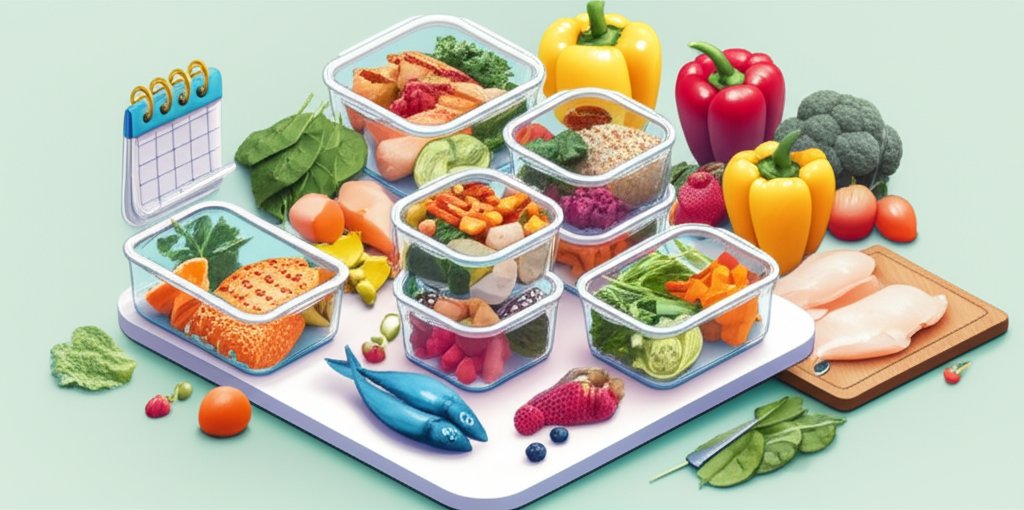
This is for the true meal prep enthusiast. The focus isn’t on a different dinner every night but on prepping components in bulk. Your spreadsheet might have sections for “Grains to Cook,” “Veggies to Chop,” and “Proteins to Grill.” This method is incredibly efficient and is the perfect use case when you Download your meal prep template designed specifically for batch cooking.
Common Meal Planning Traps (And How to Sidestep Them)
Starting a new system can be tricky. Here are a few common pitfalls and how to ensure your new meal-prepping habit sticks.
- The Overly Ambitious Plan: Don’t decide to cook seven complex, brand-new recipes in your first week. You’ll burn out. The Fix: Start with 2-3 planned dinners and rely on trusted favorites for the rest. Ease into it.
- Forgetting “Buffer” Meals: Life happens. You’ll work late, a friend will suggest a spontaneous dinner out, or you just won’t feel like cooking. The Fix: Plan for leftovers at least one or two nights a week. Also, keep a “pantry-staple emergency meal” on deck (like pasta with jarred sauce) for when your plan goes off the rails.
- Ignoring Your Real Schedule: Planning a 90-minute gourmet meal for a night when you have kids’ soccer practice is a recipe for failure. The Fix: Look at your actual calendar before you plan your meals. Slot in the 30-minute meals for busy nights and save the more involved recipes for the weekend.
- The Blank Slate Panic: Staring at an empty spreadsheet can be intimidating. The Fix: Use your Recipe Bank! Or, try theme nights to narrow the options: Meatless Monday, Taco Tuesday, Pasta Wednesday, etc.
Your Meal Prep Spreadsheet Questions, Answered
Is a spreadsheet better than a meal planning app?
It depends on your personality. Apps often have slick interfaces and integrated recipe discovery, but they can be rigid and come with subscription fees. A spreadsheet offers unparalleled customization and is completely free. If you love to tinker and want total control, a spreadsheet is superior. If you want a more guided, all-in-one experience and don’t mind a monthly fee, an app might be a better fit.
How do I handle recipe links effectively?
In both Google Sheets and Excel, you can turn any text into a hyperlink. Simply type the name of the dish in the cell (e.g., “Spicy Peanut Noodles”). Then, right-click the cell, select “Insert Link,” and paste the URL of the recipe. Now your entire recipe collection is just one click away.
Can I track my food budget in the same spreadsheet?
Absolutely. This is a huge advantage of the spreadsheet method. Add a column in your “Grocery List” tab for Price. As you shop, enter the cost of each item. Use a SUM formula at the bottom to see your total grocery bill for the week. You can even add another tab to track your spending over time and see how much money meal planning is saving you.
What’s the best way to start if I’m a complete beginner?
Don’t try to go from zero to a fully planned month. Start small. Plan just three dinners for the upcoming week. Write them down, make a tiny grocery list, and see how it feels. The easiest on-ramp is to use a pre-built foundation. Grabbing a good meal planning template removes the setup work and lets you focus on the food.
Your First Step to a Simpler, Healthier Week
A meal prep spreadsheet isn’t about becoming a rigid, hyper-organized robot. It’s about creating a system that serves you. It’s a tool to buy back your time, reduce your mental load, and put you back in the driver’s seat of your health and finances.
The transformation from “what’s for dinner?” chaos to calm, confident control is profound. And it starts with a single step.
You don’t need to plan a perfect month or even a perfect week. Just open a spreadsheet. Pick one meal for this week—just one—that you’re going to plan, shop for, and cook. Write it down. See how it feels to have that one decision made, that one small piece of your week handled. That feeling is why this system works, and it’s the beginning of a calmer, healthier, and wealthier way to eat.

- Master Vegan Freezer Meal Prep to Simplify Your Busy Schedule - June 18, 2026
- Vegan Freezer Cooking Simplifies Healthy Meals on Busy Nights - June 17, 2026
- Vegetarian Freezer Recipes for Effortless Meal Prep and Delicious Dinners - June 16, 2026